SiteDraft turns a homeowner's waterfront plan into one controlled bid package. Review matched opportunities, understand the scope and competition, then decide whether a project fits your company.
This demonstration shows the information a matched contractor can review before choosing to participate. Personal homeowner information remains protected.
Review meaningful project information before deciding whether the opportunity fits your company.
Clearly defined scope
Homeowners establish the requested project before contractor bidding begins.
Maximum 3 contractors
Each opportunity is limited to no more than three participating contractors.
Project-based participation
The specific paid token requirement is disclosed to approved contractors before commitment.
ACTUAL PLAN + 3D DESIGN + SCOPE PREVIEW
One package. Fewer assumptions.
After acceptance, the contractor workspace provides the homeowner-approved drawing, project visualization when included, measured quantities, requested accessories, field photos, contact permissions, and a structured scope narrative.
Saved project drawing and dimensions
Project-specific scope and quantities
Requested materials, accessories, and lift details
Consistent bid questions for every contractor
THE CONTRACTOR WORKFLOW
See what the contractor sees at each stage.
These screens follow the same Angled Terminus dock and boat-lift sample from opportunity review through the complete bid package.
01
Review the opportunity
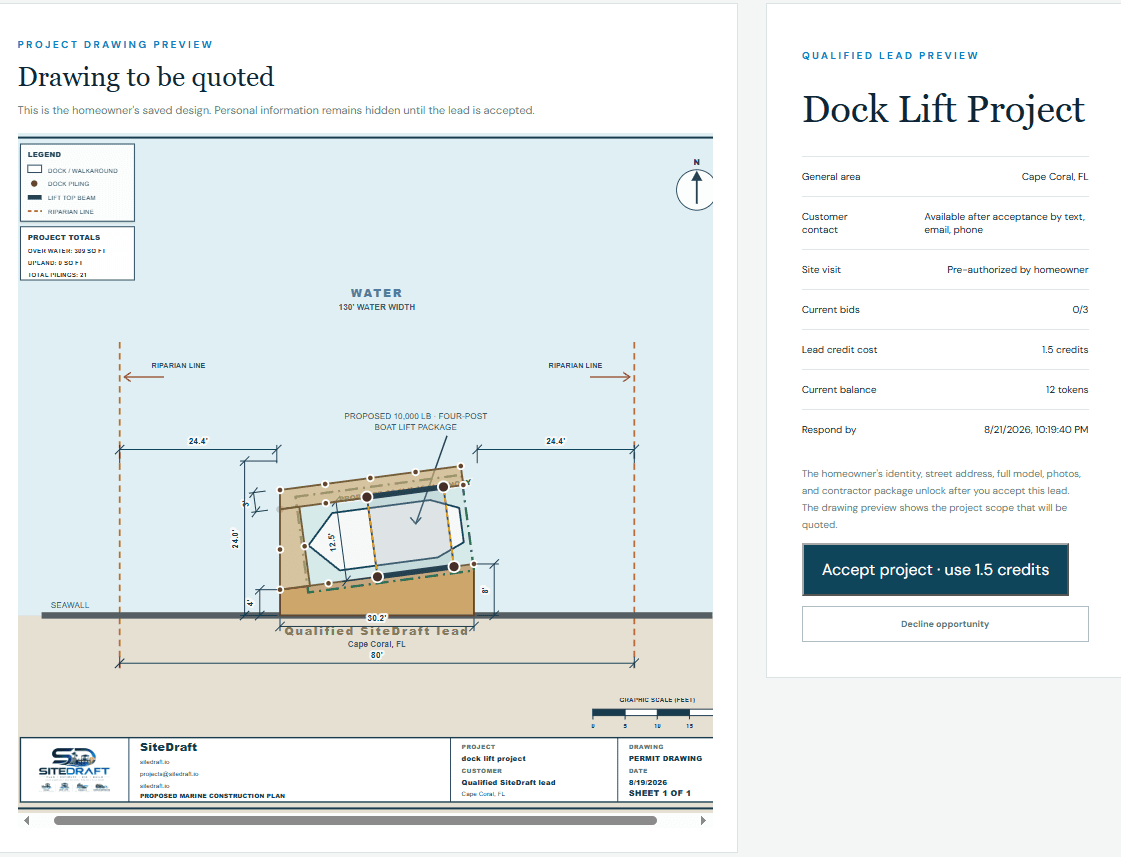
Inspect the drawing, general scope, bid count, deadline, and token requirement before acceptance.
02
Open the accepted project
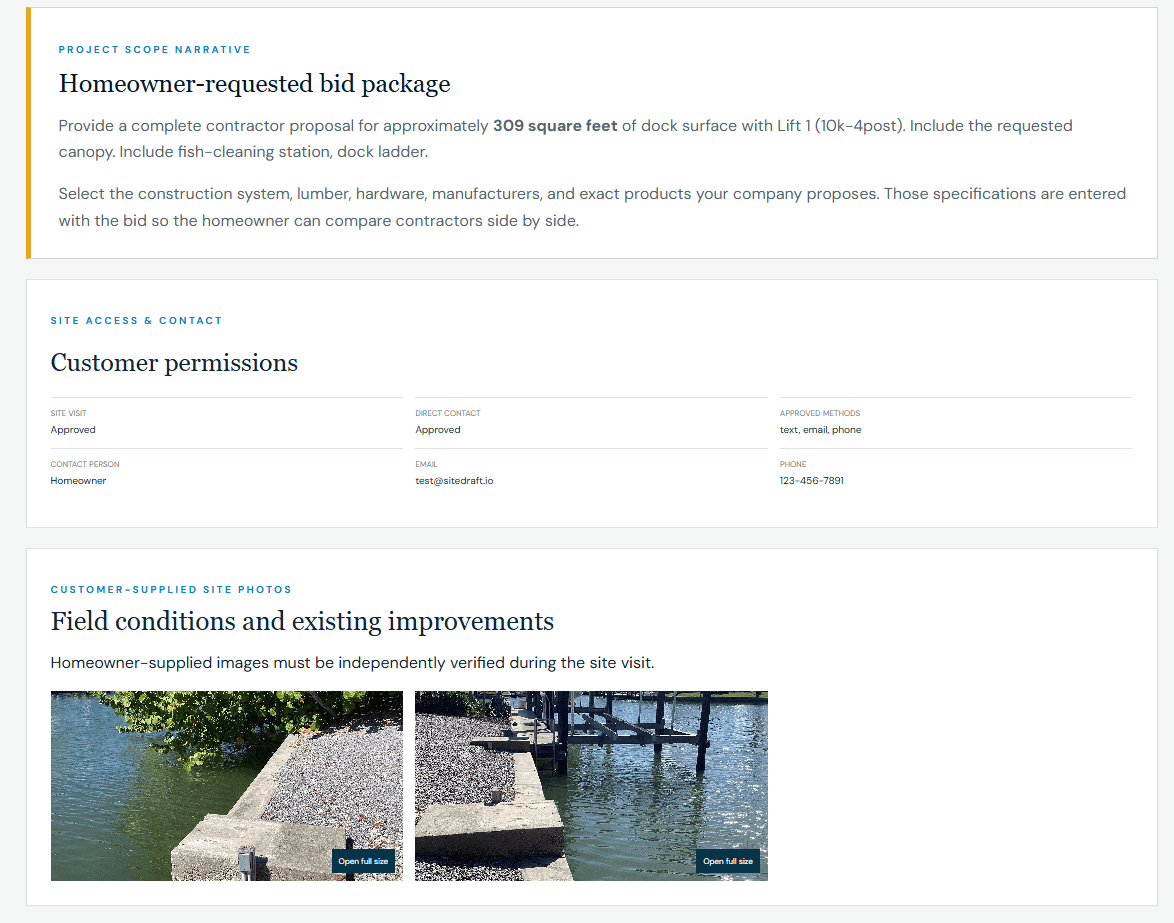
Receive the scope narrative, approved contact permissions, and customer-supplied field photos.
03
Quote the approved drawing
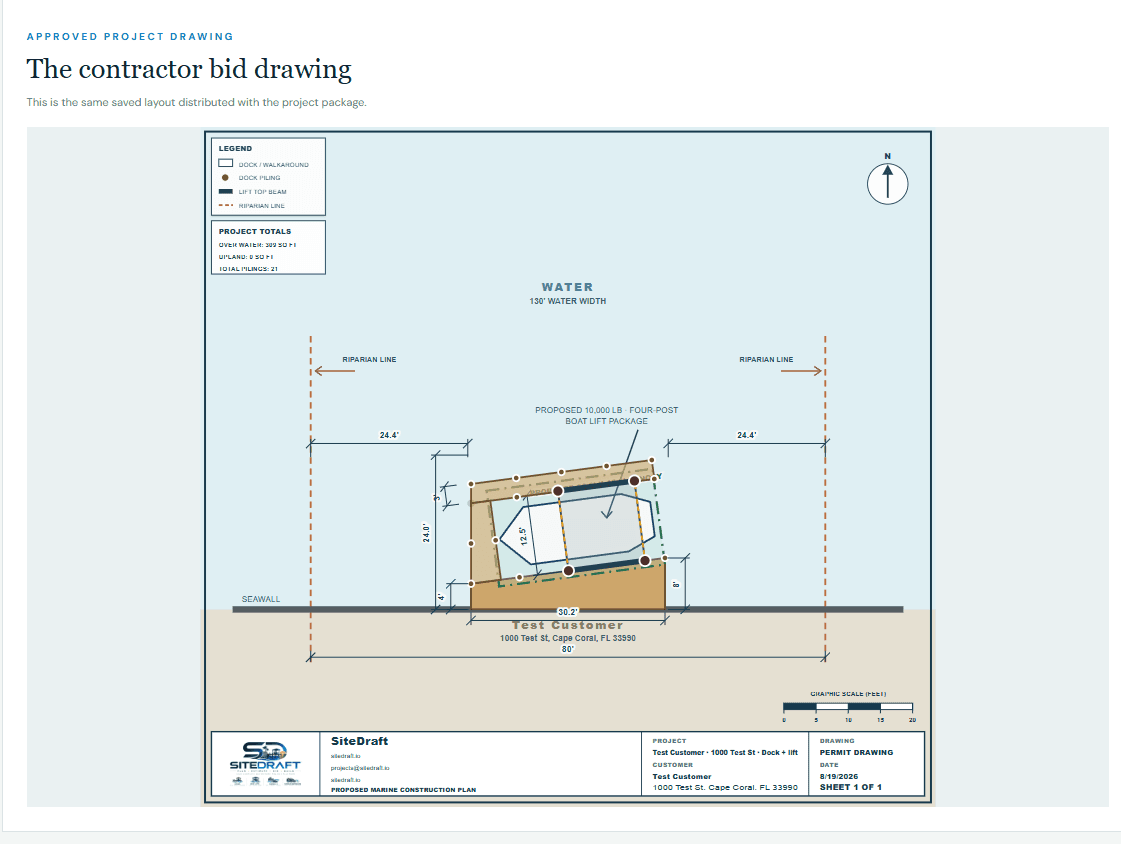
Price the same measured dock and boat-lift drawing distributed with the project package.
04
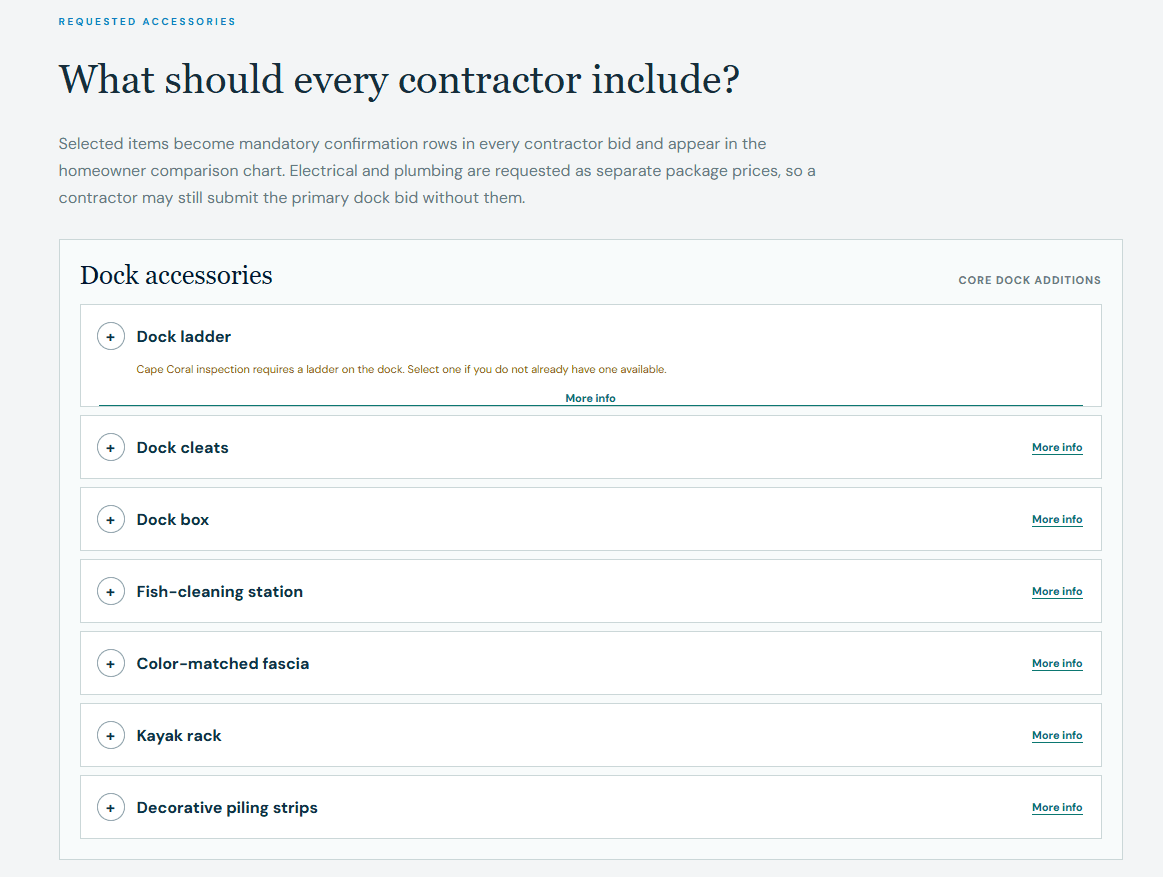
Confirm requested accessories
Answer the same required accessory checklist so homeowners can compare complete proposals.
HOW SITEDRAFT BIDDING WORKS
Projects lead. Tokens follow.
01
Get matched
See opportunities that fit your approved coverage and project capabilities.
02
Preview free
Review general scope, location, bid count, deadline, and exact token cost.
03
Unlock the package
Accept intentionally, then inspect the complete project information.
04
Bid consistently
Submit price, schedule, specifications, warranty, and exclusions for comparison.
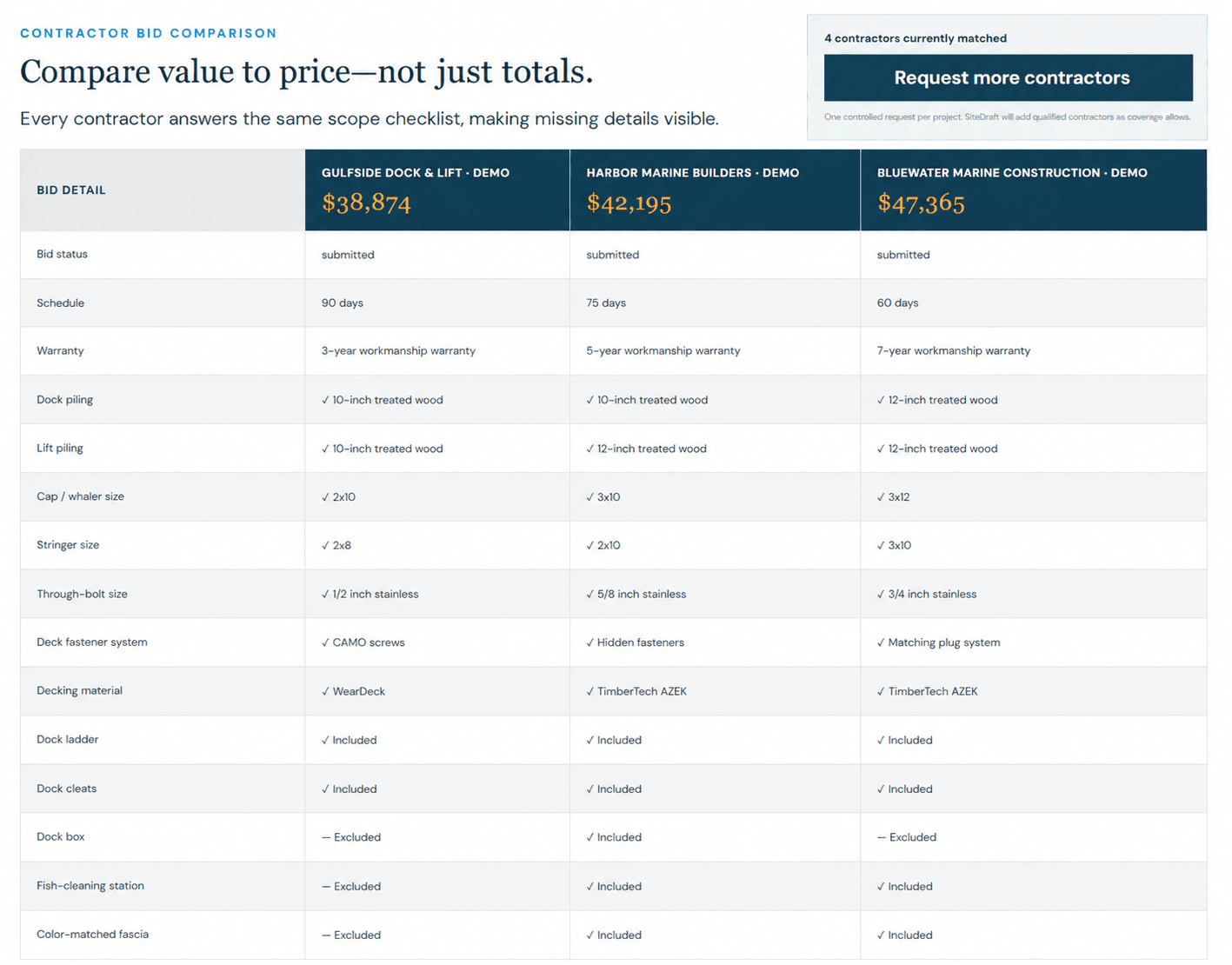
EXAMPLE BID COMPARISON
Your value is easier to see side by side.
The homeowner sees price, schedule, warranty, structural specifications, materials, and requested accessories from every bidder in one consistent table.
PROJECT-BASED ACCESS
A paid opportunity system with the requirement shown before commitment.
SiteDraft uses project-based tokens for contractor bid opportunities. Review matched opportunities before deciding whether to participate. The token requirement varies with project size and scope and is clearly shown to approved contractors before acceptance.
Maximum 3 contractors per projectPreview opportunities freeExact requirement shown after sign-in
CONTRACTOR FAQ
What to expect before joining.
Does it cost anything to review an opportunity?
No. Previewing an opportunity is free. Tokens are used only when you confirm acceptance under the existing SiteDraft workflow.
When do I see the token requirement?
Approved contractors see the exact project-specific token requirement and their current balance before committing.
How many contractors receive each project?
Each project is limited to a maximum of three participating contractors.
Do homeowners see contractor token pricing?
No. Contractor billing and participation costs remain within the contractor-side platform experience.
Am I guaranteed to win the project?
No. Tokens provide participation in a limited bidding opportunity; they do not guarantee awarded work.
JOIN THE CONTRACTOR NETWORK
Compete for clearly planned waterfront work.
Create your business account, define your coverage and capabilities, and complete SiteDraft approval to receive matched opportunities.